🚀 The Ultimate Guide to Auto Generate Social Cards in Next.js

What is Open Graph?
Open Graph is a protocol that was originally created by Facebook which allows you to control how your website is displayed when shared on social media platforms like Facebook, Twitter, LinkedIn, etc. It is a set of tags that you add to the <head/> section of your website.
Why Open Graph?
Open Graph is important for enhancing the online presence of your website. The structured data provided by Open Graph helps search engines to understand your website better. It helps to increase the click-through rate (CTR) of your website.
How to Generate Dynamic Open Graph Cards in Next.js?
In this tutorial, we will learn how to generate dynamic Open Graph Cards in Next.js 🚀 like the one shown below.

Let's create a new Next.js project using the following command.
npx create-next-app@latest nextjs-social-cards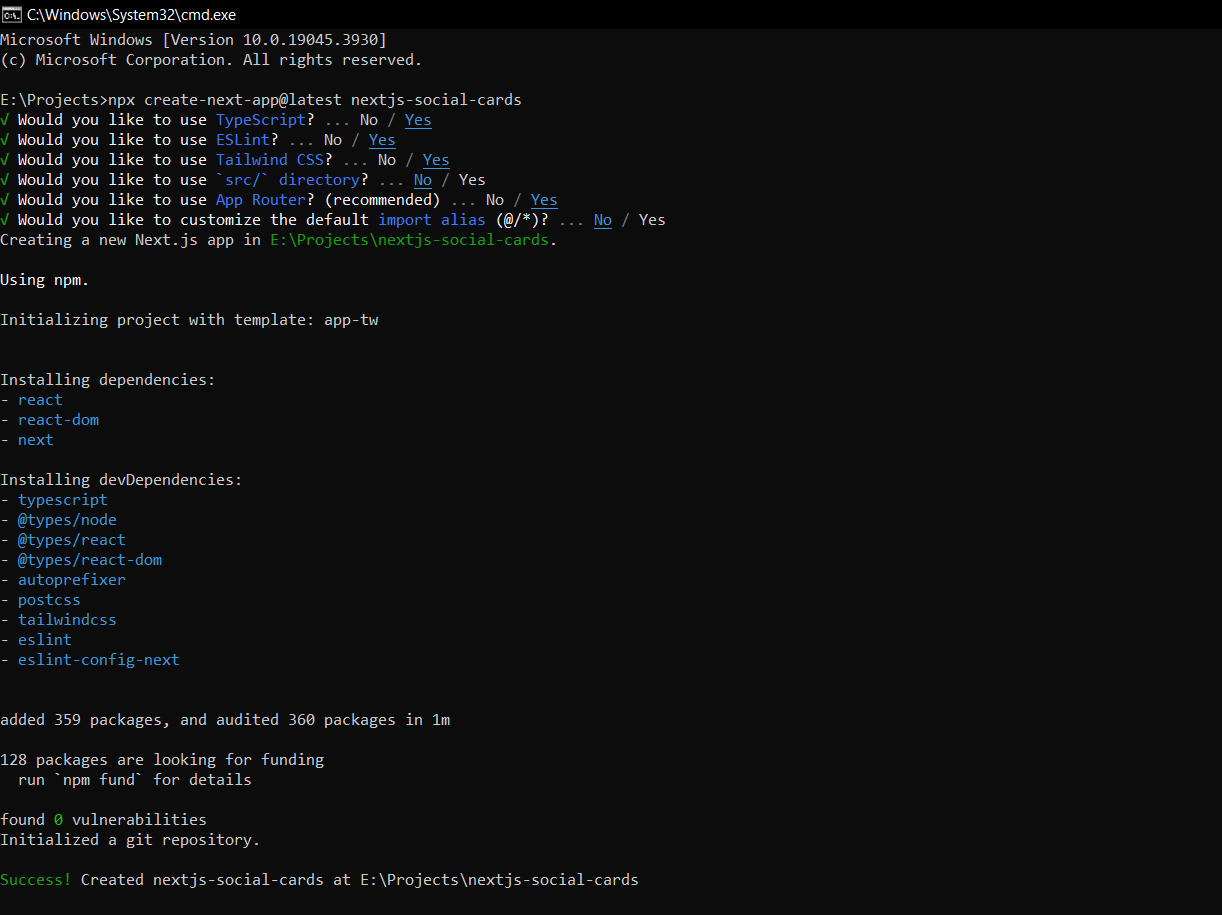
Now, let's create a new file called route.tsx inside the app/og/route.tsx 📂 folder. This route.tsx file will be used to generate the dynamic Open Graph Cards.
import { ImageResponse, NextRequest } from "next/server";

export const runtime = "edge";

export async function GET(req: NextRequest) {
    try {
        const { searchParams } = req.nextUrl;

        const hasTitle = searchParams.has("title");
        const postTitle = hasTitle
            ? searchParams.get("title")?.slice(0, 100)
            : "Blog";

        const interRegular = await fetch(
            new URL(
                "../../public/fonts/Inter/Inter-ExtraBold.ttf",
                import.meta.url,
            ),
        ).then((res) => res.arrayBuffer());

        const logo = await fetch(
            new URL(
                "../../public/assets/logo/logo.png",
                import.meta.url,
            ),
        ).then((res) => res.arrayBuffer());

        return new ImageResponse(
            (
                <div tw="relative w-full h-full flex flex-col justify-center items-start bg-[#0F172A] text-white">
                    <div tw="absolute top-0 flex justify-between items-center w-full p-10">
                        <img
                            src={`data:image/png;base64, ${Buffer.from(logo).toString("base64")}`}
                            alt="logo"
                            tw="w-25 h-25"
                        />
                        <p tw="text-xl font-base">binayakarki.com.np</p>
                    </div>
                    <div
                        tw="flex font-bold text-6xl mx-[100px] leading-[1.2] text-center">
                        {postTitle}
                    </div>
                    <div tw="absolute bottom-0 h-3 w-full bg-[#64FFDA]"></div>
                </div>
            ),
            {
                width: 1200,
                height: 630,
                fonts: [
                    {
                        name: "Inter",
                        data: interRegular,
                        style: "normal",
                    },
                ],
            },
        );
    } catch (e: any) {
        console.log(`${e.message}`);
        return new Response(`Failed to generate the image`, {
            status: 500,
        });
    }
}
Configure your website URL as NEXT_PUBLIC_BASE_URL in .env.
Well, that was easy right? 😜 Now, we can preview this generated image with the following URL 🔗.
https://yourwebsite/api/og?title=The Ultimate Guide to Auto Generate Social Cards in Next.jsAdd OG Image to your page
Now, we know how to generate the dynamic Open Graph Cards in Next.js. Let's add this generated image to our page.
type Props = {
    params: { slug: string }
}

export async function generateMetadata({ params }: Props): Promise<Metadata | ResolvingMetadata> {
    const blogDetail = await fetch(endpoints.blogs.detail(params.slug)).then(res => res.json())
    if (!blogDetail) {
        return {
            title: "Not Found",
            description: "The page you are looking for does not exist",
        }
    }

    return {
        title: blogDetail.result?.title,
        description: blogDetail.result?.summary,
        keywords: blogDetail.result?.keywords,
        openGraph: {
            title: blogDetail.result?.title,
            description: blogDetail.result?.summary,
            type: "article",
            locale: "en_US",
            url: `${process.env.NEXT_PUBLIC_BASE_URL}/blogs/${blogDetail.result?.slug}`,
            siteName: "Binaya Karki",
            images: [
                {
                    url: `${process.env.NEXT_PUBLIC_BASE_URL}/og?title=${blogDetail.result?.title}`,
                    width: 800,
                    height: 600,
                    alt: blogDetail.result?.title,
                },
            ],
        },
        twitter: {
            title: blogDetail.result?.title,
            card: "summary_large_image",
            images: [
                {
                    url: `${process.env.NEXT_PUBLIC_BASE_URL}/og?title=${blogDetail.result?.title}`,
                    width: 800,
                    height: 600,
                    alt: blogDetail.result?.title,
                },
            ],
        },
    }
}
Yaay! 🎉 Now, you can share your website on social media platforms and see the preview of your website.
Bonus: You can find some templates for Open Graph Cards on 🔗 Full Stack Heros.